AppTape
By All Tuner Labs

Tape any app
on your Mac.

Pick an app, hit record, get a clean MP3. The sound of one app — or your whole Mac — captured in a click.

Requires macOS 26 or later
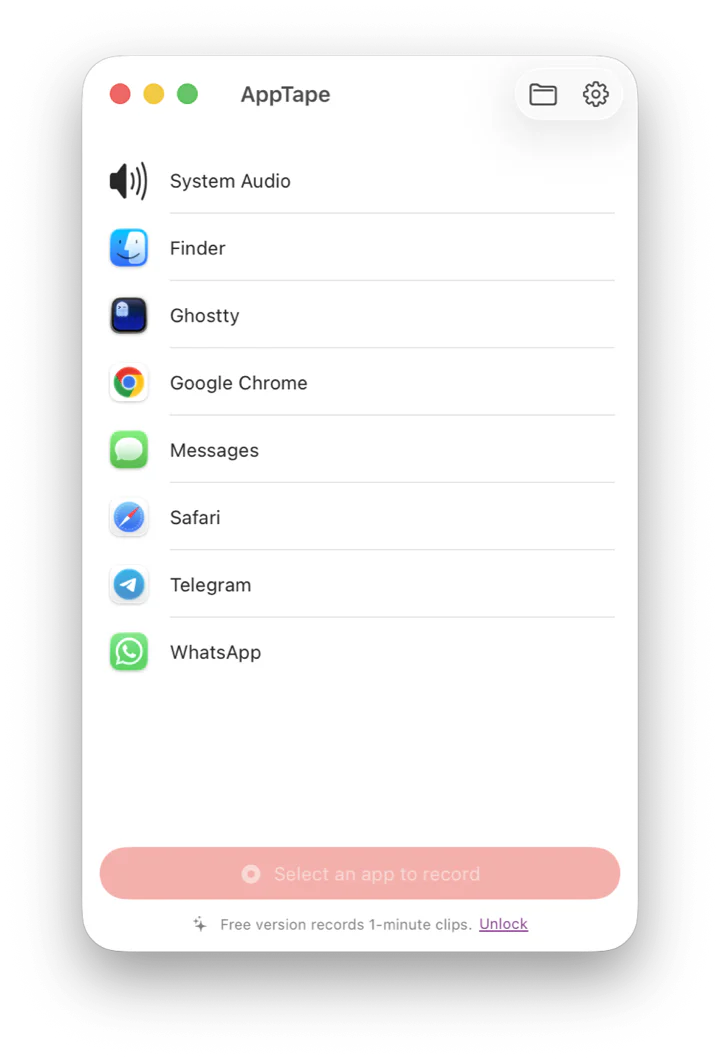
The AppTape window: a list of running apps and System Audio, ready to record.
What it does

Everything you need to catch a sound. Nothing you don't.

Pick an app, hit record

Every running app is in one list, with a live badge showing what's playing. One click starts recording — that's the whole workflow.

System audio, too

A pinned System Audio option captures everything playing on your Mac at once — perfect for calls, streams, and mixes.

MP3 by default

Clean, high-quality MP3 out of the box — or switch to AAC, lossless ALAC, or WAV. Files land in the folder you pick, named and tidy.

Private by design

Recordings never leave your Mac. No account, no analytics, no network. AppTape only ever captures audio — never your screen.

How it works

Three steps, then it's a file.

Step 01

Grant once

Give AppTape the Screen & System Audio Recording permission. It uses it for audio only — never the screen — and asks just once.

Step 02

Pick & record

Choose an app or System Audio, press the red button, and watch the level meter move. Stop from the window, the Dock, or the menu bar.

Step 03

Find it in Finder

Your recording is waiting in the folder you picked, named by app and time. Open it straight from the app.

Free to try.
$14.99 once to keep.

The free version records one-minute clips. A single in-app purchase unlocks unlimited recording, forever. No subscription, no upsells.

English, Español, Català & Svenska · macOS 26+
Good to know

Questions, answered.

Why does it ask for Screen Recording permission?
macOS groups system-audio capture under its “Screen & System Audio Recording” permission. Despite the name, AppTape uses it for audio only — it never records your screen, camera, or microphone. macOS applies the grant after you relaunch the app once.
Where do my recordings go?
Into a folder you choose the first time you record (the picker opens at your Music folder), as files named by app and time. You can change the folder in Settings, and open it from the app, the Dock menu, or the menu bar.
Which formats can it record?
MP3 by default, plus AAC, lossless ALAC, and WAV. Choose your default in Settings; it applies to your next recording.
Is it really a one-time price?
Yes. The free version records one-minute clips. A single $14.99 in-app purchase removes the limit forever — no subscription, and it restores across your Macs.
What does it need to run?
macOS 26 (Tahoe) or later. AppTape is built on Apple’s modern per-app audio capture, so it needs a recent macOS.